Search

Does the Apple Watch Series 7 Monitor Glucose Levels for Diabetes Management?

Does the Apple Watch Series 7 Monitor Glucose Levels for Diabetes Management?

Introduction

Diabetes is a chronic condition that affects millions of people worldwide, and proper management is crucial for maintaining overall health and preventing complications. In recent years, wearable technology has emerged as a valuable tool for individuals with diabetes, offering convenient monitoring and tracking capabilities. The Apple Watch, in particular, has garnered attention for its potential in diabetes management. With the release of the Apple Watch Series 7, many users are wondering if this latest iteration can monitor glucose levels, a critical aspect of diabetes care.

Apple Watch and Glucose Monitoring

Current Limitations

As of now, the Apple Watch Series 7 does not have a built-in feature that directly measures or monitors blood glucose levels. The watch relies on external devices, such as continuous glucose monitors (CGMs) or blood glucose meters, to obtain glucose data. While this may seem like a limitation, it is important to understand the challenges associated with non-invasive glucose monitoring.

Traditionally, glucose monitoring has required drawing a small amount of blood through finger pricks or implanted sensors. This invasive approach has been the most accurate and reliable method for measuring glucose levels. However, researchers have been exploring non-invasive techniques, such as using light or electrical signals to measure glucose levels through the skin. While promising, these technologies are still in their infancy and face several challenges, including accuracy, calibration, and interference from various factors like skin composition and hydration levels.

Third-Party App Integration

While the Apple Watch itself cannot measure glucose levels, it can integrate with third-party apps that connect to compatible CGMs or glucose meters. These apps can display real-time glucose readings, trends, and alerts on the watch face, allowing users to monitor their glucose levels conveniently from their wrists.

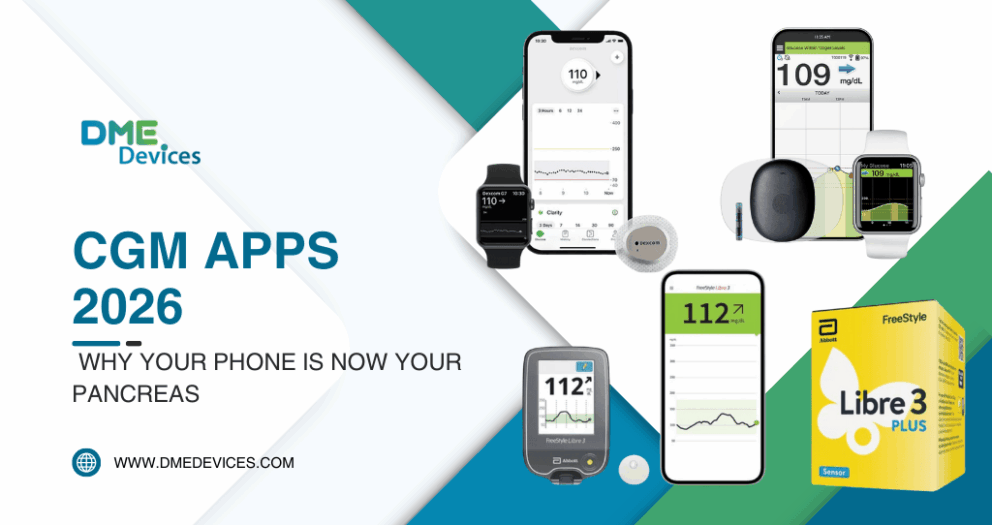
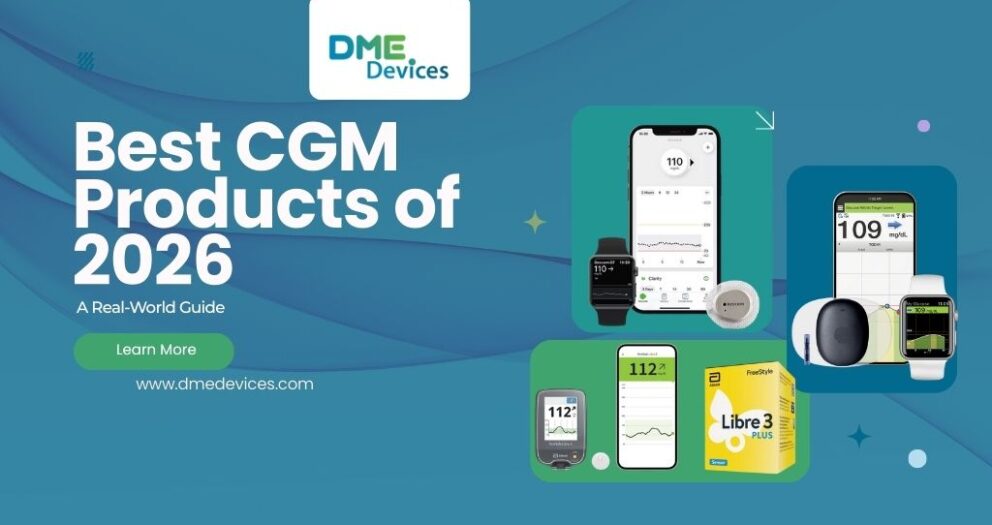
One popular app for diabetes management on the Apple Watch is Dexcom's G6 CGM app. This app connects to the Dexcom G6 CGM system, which consists of a small sensor worn on the body that continuously measures glucose levels in the interstitial fluid (the fluid between cells). The app displays glucose readings, trends, and alerts on the Apple Watch, enabling users to quickly glance at their levels and take appropriate actions, such as administering insulin or consuming carbohydrates.

Future Developments

Apple has been actively exploring ways to incorporate non-invasive glucose monitoring technology into its devices. Rumors and reports suggest that the company is working on developing a sensor that could potentially measure glucose levels through the skin, without the need for finger pricks or implanted devices. This technology, if successfully developed, could revolutionize diabetes management by providing a seamless and convenient way to monitor glucose levels.

However, it's important to note that non-invasive glucose monitoring is a complex challenge, and it's uncertain when or if Apple will be able to overcome the technical hurdles and successfully integrate this technology into future Apple Watch models. Factors such as accuracy, reliability, and regulatory approvals need to be addressed before such a feature can be widely adopted for diabetes management.

Diabetes Management with the Apple Watch

Activity and Exercise Tracking

While the Apple Watch Series 7 may not directly monitor glucose levels, it offers valuable features for diabetes management. The watch's activity tracking capabilities can help individuals with diabetes stay active and monitor their exercise routines, which are essential for maintaining healthy blood sugar levels and overall well-being.

Regular physical activity has been shown to improve insulin sensitivity, which can help regulate blood sugar levels and reduce the risk of complications associated with diabetes. The Apple Watch Series 7 can track various activities, such as walking, running, cycling, and swimming, providing valuable data on calories burned, distance covered, and heart rate. This information can be used to adjust insulin doses, plan meals, and optimize exercise routines for better blood sugar control.

Nutrition and Calorie Tracking

The Apple Watch also integrates with various apps that allow users to track their food intake, calorie consumption, and nutrition information. This can be particularly useful for individuals with diabetes, as monitoring carbohydrate intake is crucial for managing blood sugar levels.

Apps like MyFitnessPal and Lose It! can be synced with the Apple Watch, enabling users to log their meals and snacks directly from their wrists. These apps provide detailed nutritional information, including carbohydrate counts, which can help individuals with diabetes make informed decisions about their food choices and insulin dosages.

Reminders and Alerts

The Apple Watch can be set up to provide reminders and alerts for various health-related tasks, such as taking medication, checking glucose levels, or engaging in physical activity. These reminders can be invaluable for individuals with diabetes, helping them stay on top of their daily routines and maintain better control over their condition.

For example, users can set medication reminders on the Apple Watch to ensure they take their insulin or other diabetes medications at the appropriate times. They can also set alerts to check their glucose levels at regular intervals or before engaging in physical activity. Additionally, the watch can provide reminders for scheduling doctor appointments or refilling prescriptions, ensuring that individuals with diabetes stay proactive in managing their condition.

Mindfulness and Stress Management

The Impact of Stress on Diabetes

Stress can have a significant impact on individuals with diabetes, as it can affect blood sugar levels and potentially contribute to complications. When under stress, the body releases hormones like cortisol and adrenaline, which can cause an increase in blood sugar levels. Additionally, stress can lead to unhealthy coping mechanisms, such as overeating or neglecting self-care routines, further exacerbating the challenges of diabetes management.

Mindfulness Features on the Apple Watch

The Apple Watch Series 7 offers several mindfulness features that can help individuals with diabetes manage stress and promote overall well-being. The Breathe app, for instance, guides users through simple breathing exercises designed to reduce stress and promote relaxation. This can be particularly beneficial for individuals with diabetes, as stress management is an integral part of maintaining healthy blood sugar levels.

Additionally, the Apple Watch integrates with various third-party mindfulness apps, such as Calm and Headspace, which provide guided meditations, sleep stories, and other resources to cultivate mindfulness and reduce stress. Incorporating these practices into daily routines can help individuals with diabetes better cope with the challenges and emotional aspects of managing their condition.

Connectivity and Telehealth

Remote Monitoring and Telemedicine

The Apple Watch's connectivity features can also be leveraged for remote monitoring and telemedicine in diabetes care. With the rise of telehealth services, individuals with diabetes can potentially share their glucose data, activity levels, and other health metrics with their healthcare providers remotely.

This can enable healthcare professionals to monitor their patients' progress, identify potential issues, and provide timely interventions or adjustments to treatment plans without the need for in-person visits. Additionally, telehealth consultations can be conducted through video calls or messaging applications, allowing individuals with diabetes to receive personalized guidance and support from the comfort of their own homes.

Integration with Electronic Health Records

As technology continues to advance, there is potential for the Apple Watch to integrate with electronic health records (EHRs) and other healthcare systems. This integration could enable seamless sharing of glucose data, activity levels, and other relevant health information between individuals with diabetes and their healthcare providers.

By consolidating data from various sources, including wearable devices like the Apple Watch, healthcare professionals can gain a more comprehensive understanding of their patients' conditions and make more informed decisions about treatment plans and lifestyle recommendations.

Conclusion

While the Apple Watch Series 7 does not have a built-in feature for directly monitoring glucose levels, it can still be a valuable tool for individuals with diabetes. By integrating with third-party apps and leveraging its activity and nutrition tracking capabilities, the Apple Watch can assist in managing various aspects of diabetes care.

As technology continues to evolve, it is possible that future Apple Watch models may incorporate non-invasive glucose monitoring capabilities, further enhancing their usefulness for individuals with diabetes. However, even without this specific feature, the Apple Watch Series 7 offers a range of functionalities that can contribute to better diabetes management, including mindfulness practices, reminders, and connectivity with healthcare providers.

Ultimately, the key to successful diabetes management lies in a comprehensive approach that combines various tools and strategies, such as monitoring glucose levels, maintaining a healthy diet and exercise routine, managing stress, and staying connected with healthcare professionals. The Apple Watch Series 7, when utilized in conjunction with other diabetes management tools and guidance from healthcare providers, can be a valuable addition to an individual's diabetes care toolkit.

How to Remove Freestyle Libre 3

How to Remove Freestyle Libre 3: A Pain-Free Guide for Real Life

You have made it through the full 14 days with your sensor. It survived showers, that one time you accidentally knocked it against a doorframe, and sweaty workouts. But now the app is flashing "Sensor Ended," and you are staring at your arm wondering how to remove freestyle libre 3 without causing unnecessary discomfort.

We have all been there. The adhesive on these devices is medical-grade—it is designed to stay put. This is excellent for wear time but can be difficult when it is time to take it off. If you pull it off quickly like an old bandage, you risk skin irritation.

Let’s discuss the proper method for removing freestyle libre 3 so your skin remains healthy for your next application. Knowing exactly how to remove a freestyle libre 3 sensor effectively is the key to long-term comfort. Many users find that learning how to remove freestyle libre 3 correctly prevents the "sensor tattoo" residue often left behind. By mastering the art of freestyle libre 3 how to remove, you protect your skin for future sensors.

Why Does It Stick So Hard?

Before we get into the "how-to," it helps to understand the mechanism. The Freestyle Libre 3 is small—about the size of two stacked pennies. Because it has such a small surface area, the adhesive must be strong to keep it secured to your arm for the mandated 14-day period.

It uses a pressure-sensitive acrylic adhesive. Over time, your body heat helps the adhesive bond more securely to the skin. That is why learning how to remove freestyle libre 3 requires a different technique than peeling off a standard bandage.

The bond is chemically stronger on day 14 than it was on day 1. If you rush to remove freestyle libre 3, you are fighting against chemistry. By understanding the adhesive properties, you can master freestyle libre 3 how to remove steps with ease. Even if you have experience with older models, learning how to remove the freestyle libre 3 specifically is worth the effort because of its smaller profile and concentrated adhesive.

Quick Specs: Understanding the Device Components

The Part What It Is The Real World Effect
The Sticker Medical-grade Acrylic Bond strengthens over the 14-day wear period.
The Filament Flexible Hair-like tube Sits just under the skin; slides out easily but must be handled with care.
The Housing Hard Plastic Provides a grip point, but requires gentle handling.

When Should You Be Removing Freestyle Libre 3?

Typically, your receiver or smartphone app notifies you when the session has ended. However, there are specific medical or technical instances where you might need to proceed with removing freestyle libre 3 earlier than planned.

You might need to address how to remove freestyle libre 3 sensor setups early if:

Adverse Skin Reaction: If you experience severe itching, burning, or a rash, this may indicate contact dermatitis. Do not wait; remove freestyle libre 3 immediately to protect your skin.

Technical Failure: If the app displays a persistent "Sensor Error" or "Replace Sensor" message that does not resolve after following on-screen prompts, you will need to know how to remove the freestyle libre 3 safely.

Adhesion Failure: If the edges curl and the sensor filament is no longer fully inserted, readings may be inaccurate, and you must know how to remove freestyle libre 3 to replace it properly.

How to Remove Freestyle Libre 3: The Step-by-Step Method

To ensure skin integrity, knowing freestyle libre 3 how to remove correctly is vital. The goal is to minimize trauma to the skin barrier during the process.

1. Soften the Adhesive

Adhesives are often more difficult to remove from cool, dry skin. The ideal time for removing freestyle libre 3 is after a warm shower. The humidity helps loosen the adhesive edges, and the warmth makes the skin more pliable, which simplifies the task when you remove freestyle libre 3. This simple preparation is often overlooked when people ask how to remove freestyle libre 3 painlessly.

2. Use an Adhesive Remover

If a shower is not an option, or if you have sensitive skin, use a removal aid to break the chemical bond before you remove freestyle libre 3.

Baby Oil / Mineral Oil: Gentle and effective for most users.

Medical Adhesive Remover: Specific wipes (like TacAway or Uni-Solve) designed for CGM users.

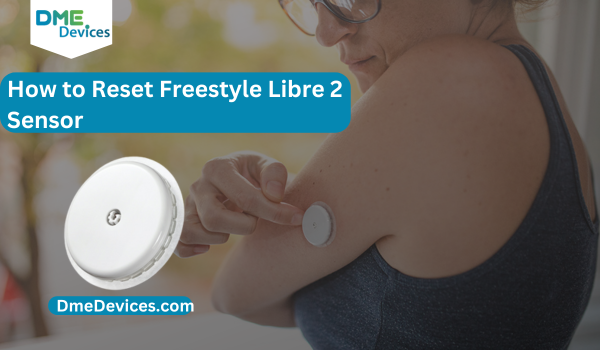
Soak a cotton ball or tissue in the oil and dab it around the white fabric edge of the patch. Allow it to sit for 1–2 minutes. This "dwell time" is crucial when learning how to remove a freestyle libre 3 sensor painlessly, as it allows the fluid to penetrate the fabric and dissolve the glue. This step makes removing freestyle libre 3 much gentler on sensitive areas.

3. The "Low and Slow" Technique

This is the standard recommendation for how to remove the freestyle libre 3 to prevent skin tearing.

Do not pull UP. Pulling perpendicular to the skin increases the risk of pain when removing freestyle libre 3.

Pull BACK. Lift one edge and peel the sensor back over itself, keeping it close to the skin surface.

Support the Skin. Use your free hand to press down on the skin immediately next to the peel line. This "counter-traction" technique stabilizes the skin as you remove freestyle libre 3. It is the gold standard for how to remove freestyle libre 3 sensor devices without pain. If you follow this method every time you need to figure out how to remove freestyle libre 3, your skin will thank you.

Comparison of Removal Aids

Removal Aid Benefits Considerations
Baby Oil Inexpensive, widely available, moisturizing. Can leave a greasy residue that affects new sensor adhesion.
Alcohol Wipes Cleans and disinfects while removing. Can be drying or stinging on irritated skin.
Adhesive Remover Wipes Designed specifically for medical devices. Additional cost; some contain strong scents.

The Aftermath: Residue Management

After the device is off, you may see a dark, sticky ring—often referred to as the "sensor tattoo." This is a combination of adhesive residue and lint that often remains after removing freestyle libre 3.

Knowing how to remove a freestyle libre 3 sensor completely includes proper cleaning.

Avoid Harsh Scrubbing. Aggressive friction can damage the top layer of skin.

Apply Oil. Apply mineral or baby oil to the residue and let it sit for 5 minutes.

Wipe Gently. Use a soft cloth to wipe away the loosened residue. Wash the area with soap and water afterward. This is the final step in how to remove freestyle libre 3 cleanly.

Skin Health and Site Rotation

Continuous Glucose Monitoring requires diligent skin care. According to the American Diabetes Association, maintaining skin integrity is essential for the long-term success of using diabetes technology. To maintain skin health, understanding freestyle libre 3 how to remove is just the first step.

Rotate Application Sites. Do not apply a new sensor to the exact site you just used.

Alternate arms every 14 days (per FDA-approved insertion sites).

If staying on the same arm, move the site at least 3 inches (7.6 cm) away from the previous spot.

Moisturize. After you remove freestyle libre 3 and clean the old site, apply a fragrance-free moisturizer to help the skin recover. Note: Do not apply lotion to the new site prior to insertion, as this will prevent the new sensor from sticking. Proper skin care is just as vital as knowing how to remove the freestyle libre 3.

Proper Disposal (CMS & Environmental Guidelines)

You have successfully finished removing freestyle libre 3. Disposal must be handled correctly to comply with safety and environmental standards.

The Freestyle Libre 3 contains a small silver-oxide battery and electronic components.

E-Waste vs. Household Trash: Regulations vary by municipality. While some areas allow disposal in household trash, the EPA and many local jurisdictions recommend treating sensors as electronic waste (e-waste). Check your local waste management guidelines after you remove freestyle libre 3.

Sharps Safety: The sensor itself generally does not require a Sharps container unless the needle filament is exposed and poses a hazard. However, the Sensor Applicator (used 14 days prior) MUST be disposed of in a FDA-cleared Sharps container.

Troubleshooting Common Issues

Here is a guide for common difficulties when figuring out how to remove freestyle libre 3.

The Issue Probable Cause Suggested Action
Pain during removal Adhesive pulling on hair or dry skin. Pause removal. Saturate with oil/remover. Consider shaving the site before the next application.
Minor Bleeding Filament may have grazed a capillary. Apply firm pressure with clean gauze for 3 minutes or until bleeding stops.
Redness/Irritation Rapid removal or contact dermatitis. Use a skin barrier wipe (like Cavilon) before applying the next sensor. Consult a provider if the rash persists.

Why Hydration Matters

Hydration plays a role in skin elasticity. Dehydrated skin is more fragile and prone to micro-tears during adhesive removal. Staying well-hydrated helps maintain skin turgor, potentially making the process of how to remove the freestyle libre 3 smoother and less damaging to the skin barrier.

Ready for Your Next Sensor?

Effective diabetes management involves consistency. Taking the time to learn how to remove freestyle libre 3 properly helps preserve your skin integrity, ensuring you can continue CGM therapy comfortably. Protecting your skin today prevents scarring and adhesion issues in the future. Now that you have mastered how to remove a freestyle libre 3 sensor, you are ready for the next cycle.

Once your site is clean and rested, you are ready to continue your monitoring. For extended wear and the latest accuracy standards, consider the upgraded options available.

Freestyle Libre 3 vs Dexcom G7

Freestyle Libre 3 vs Dexcom G7: The Definitive Guide for Patients

Managing diabetes is a full-time commitment. It is a 24/7 responsibility that requires constant vigilance, precision, and the right tools. If you have been managing your health for a while, you likely remember the challenging days of relying solely on fingersticks—carrying around a bulky meter, test strips, and lancets, all while guessing what your glucose levels were doing in between checks.

The landscape of diabetes care has shifted dramatically with the arrival of Continuous Glucose Monitors (CGMs). These devices have moved care from taking static snapshots to watching a live movie of your health. However, this technological leap brings a new challenge: "Analysis Paralysis." With two incredible options dominating the market, how do you choose the right one?

The two heavyweights are undeniable: the Freestyle Libre 3 (including the new Libre 3 Plus) and the Dexcom G7. On paper, they appear very similar. They both adhere to the arm, stream data to a smartphone, and eliminate the need for routine fingersticks. But the differences that matter most in the freestyle libre 3 vs dexcom g7 debate are found in the daily details.

In this comprehensive guide, we break down the freestyle libre 3 vs dexcom g7 comparison, looking beyond the brochures to the real-world factors that impact your daily life—accuracy, comfort, sleep, and the practical features that define the freestyle libre 3 vs dexcom g7 experience.

The Basics: Understanding "Real-Time" Monitoring

Before diving into the specifications, it is important to understand why these two specific devices are the market leaders. Both the Freestyle Libre 3 and the Dexcom G7 are "Real-Time CGMs" (rt-CGM).

Unlike older "Flash" monitoring systems that required you to physically scan the sensor with a phone to get a reading, these devices push data automatically. In the context of freestyle libre 3 vs dexcom g7, both transmit glucose levels to your smartphone via Bluetooth every 1 to 5 minutes. This is a critical safety feature, ensuring the device can alert you to highs or lows even while you are asleep or driving, without any action required on your part.

Head-to-Head: The Technical Specifications

To make an informed decision, you need to look at the hard data. These specifications often act as the primary filter for patients deciding on the freestyle libre 3 vs dexcom g7.

Comparison Table 1: Technical Specs

Feature Freestyle Libre 3 / 3 Plus Dexcom G7
Sensor Lifespan 14 Days (Standard) / 15 Days (Plus) 10 Days (+12-hour grace period)
Warm-Up Time 60 Minutes 30 Minutes
Calibration Factory Calibrated (No manual option) Factory Calibrated (Manual option allowed)
Bluetooth Range ~33 feet ~20 feet
Age Approval Ages 4 and up Ages 2 and up
Transmitter Built-in (Disposable) Built-in (Disposable)

Looking at the table, the dexcom g7 vs freestyle libre 3 strategies become clear. Dexcom is built for speed and flexibility (fast warm-up, younger age range), while Libre is built for longevity and minimal interaction (14-15 day wear).

Deep Dive: Accuracy and Reliability

One of the most frequent questions in the freestyle libre 3 vs dexcom g7 discussion is: "Which device is more accurate?"

In the clinical world, accuracy is measured using MARD (Mean Absolute Relative Difference). This metric represents the average percentage difference between the sensor reading and a lab-quality blood reference. A lower number indicates higher accuracy.

  • Freestyle Libre 3: Approximately 7.9% MARD
  • Dexcom G7: Approximately 8.2% MARD

Technically, the Libre 3 has a slight statistical edge. However, in real-world usage of dexcom g7 sensor vs freestyle libre 3, both devices are exceptionally accurate. If your blood sugar is 120 mg/dL, the Libre might read 118 while the Dexcom reads 123. Both fall well within the clinical standards set by the American Diabetes Association required to make safe treatment decisions.

The "Compression Low" Phenomenon

A quirk common to all CGMs is the Compression Low. This occurs when you sleep directly on the sensor, pushing fluid away from the tissue. The sensor detects this lack of glucose-rich fluid and may trigger a false low alarm. In the freestyle libre 3 vs dexcom g7 comparison, the Libre 3’s incredibly flat profile makes it slightly less prone to this issue simply because it digs into the arm less, though it can happen with any brand.

Form Factor: The "Doorframe Factor"

Experienced CGM users are familiar with "The Doorframe Check"—accidentally clipping a sensor on a doorframe and ripping it off. The physical design of the device plays a huge role in the freestyle libre 3 vs dexcom g7 durability battle.

The Freestyle Libre 3 is the clear winner in terms of size. It is roughly the size of two stacked pennies and sits flush against the skin. Its low profile makes it very difficult to snag on clothing or furniture, giving it an advantage in the freestyle libre 3 vs dexcom g7 size comparison.

The Dexcom G7 is a vast improvement over previous generations, being 60% smaller than the G6. However, it still has a slightly higher profile than the Libre. To combat this, Dexcom includes an adhesive "overpatch" (a plastic sticker ring) in every box to help secure the sensor. Abbott generally does not include overpatches, relying on the sensor’s small footprint to keep it attached.

Skin Care: Adhesion and Comfort

Since these devices are attached to your body for up to two weeks, skin health is a major consideration in the freestyle libre 3 vs dexcom g7 decision.

Dexcom G7 Adhesive:

The G7 uses a medical-grade acrylic adhesive designed to hold the sensor for 10 days. Because the change frequency is higher (every 10 days), the skin is subjected to adhesive removal more often. Using an adhesive remover or baby oil is recommended to prevent irritation during removal.

Freestyle Libre 3 Adhesive:

The Libre adhesive is robust, designed to last 14 or 15 days. While the smaller surface area is good for breathability, the longer wear time means it must survive more showers and workouts.

Pro Tip: For those with active lifestyles or who live in humid climates, applying a liquid barrier wipe like "Skin-Tac" before application can create a tacky surface that protects the skin and ensures the sensor stays locked in place for the full duration.

Pediatric Use: Considerations for Kids

For parents choosing a device for a child, the dexcom g7 vs freestyle libre 3 decision often hinges on remote monitoring features.

Dexcom G7 (Ages 2+):

Dexcom is often favored for pediatric use due to its remote monitoring capabilities. The "Dexcom Follow" app allows parents, school nurses, and caregivers to view the child’s glucose numbers on their own phones in real-time. Additionally, the G7 allows users to silence the "Urgent Low" alarm for short periods, which can prevent waking the entire household once a low is already being treated.

Freestyle Libre 3 (Ages 4+):

The Libre 3 utilizes the "LibreLinkUp" app, which also offers excellent remote monitoring for parents. However, the approved age range starts at 4 years old. The primary advantage for active children in the freestyle libre 3 vs dexcom g7 matchup is the Libre’s flush profile, which is less likely to be knocked off during play or sports.

The New Challenger: Freestyle Libre 3 Plus vs Dexcom G7

Abbott recently introduced the Freestyle Libre 3 Plus, addressing the primary gap between the two brands: Automated Insulin Delivery (AID) Integration.

Previously, insulin pump users were largely limited to Dexcom because the Libre 3 did not communicate with pumps. The Freestyle Libre 3 Plus changes this dynamic. It is now compatible with major systems like the Tandem t:slim X2 and the Beta Bionics iLet.

When comparing freestyle libre 3 plus vs dexcom g7 for pump users:

Dexcom G7: Compatible with Tandem, Omnipod 5, and iLet.

Libre 3 Plus: Compatible with Tandem and iLet (Omnipod integration is in progress).

Furthermore, the Libre 3 Plus extends wear time to 15 days, offering a significant convenience advantage over the 10-day Dexcom G7 in the freestyle libre 3 plus vs dexcom g7 comparison.

Buy Freestyle Libre 3 Plus Sensor

Travel and Security: The Airport Question

Traveling with a CGM is a common source of anxiety. Can you wear these devices through airport security? This is a frequent question when researching freestyle libre 3 vs dexcom g7.

Officially, manufacturers of both the freestyle libre 3 and dexcom g7 recommend avoiding full-body scanners (millimeter wave scanners) and avoiding sending spare sensors through x-ray belts (carry-on luggage scanners). The radiation can theoretically damage the sensor.

While many users pass through standard metal detectors without issue, the safest protocol is to request a "Hand Wand" or manual pat-down, consistent with TSA special procedures for disabilities and medical conditions. These are FDA-approved medical devices, and you have the right to keep them on your person at all times.

Daily Annoyances: Warm-Up and Grace Periods

Small features often make the biggest difference in daily satisfaction. The "Gap" in data during a sensor change is one such feature in the freestyle libre 3 vs dexcom g7 rivalry.

Warm-Up Time:

  • Dexcom G7: 30 Minutes. This is the fastest in the industry. You can change a sensor before a meal and have data back before you finish eating.
  • Freestyle Libre 3: 60 Minutes. This leaves a one-hour window where you must rely on fingersticks.

The Grace Period Advantage:

The Dexcom G7 features a 12-hour grace period. If a sensor expires at 10 PM, it will continue working until 10 AM the next day, allowing you to sleep through the night and change it at a convenient time. The Freestyle Libre 3 has a "Hard Stop"—when the 14 days are up, the sensor shuts off immediately. This grace period is a major point for G7 in the dexcom g7 vs freestyle libre 3 convenience battle.

Connectivity: The Apple Watch Factor

For smartwatch users, connectivity is often the deciding factor in finding the best continuous glucose monitor dexcom g7 vs freestyle libre 3.

Dexcom G7 Direct-to-Watch:

The G7 has the ability to connect directly to an Apple Watch. This means you can leave your phone at home, go for a run, and still view live glucose data on your wrist.

Freestyle Libre 3:

Currently, the Libre 3 requires the phone to be nearby to bridge data to the watch. If the phone is out of range, the watch will not display glucose data. While updates are expected, Dexcom currently holds the advantage for athletes in the freestyle libre 3 vs dexcom g7 race.

Buy Dexcom G7 Sensor

Comparison Table 2: User Experience & Lifestyle

Scenario Freestyle Libre 3 Dexcom G7
Forget to change sensor System stops immediately. 12-hour grace period keeps it running.
Alert Fatigue Limited customization. "Silence All" and "Delay High" modes.
Calibration Needed Not possible. Easy to enter fingerstick value.
Cost (Cash Pay) $$ (More Affordable) $$$ (Premium Price)

Cost and Insurance: The Financial Reality

For many patients, the decision in the freestyle libre 3 vs dexcom g7 debate ultimately comes down to cost and coverage.

Freestyle Libre 3:

Abbott has positioned the Libre system as the accessible option. For those paying out of pocket or with high-deductible insurance plans, the cash price at pharmacies is often significantly lower than competitors. Manufacturer coupons and programs can bring the monthly cost down to a range of $75-$150, making it a viable option for Type 2 diabetics who may not have full CGM coverage.

Dexcom G7:

The Dexcom G7 is a premium device. While it has excellent insurance coverage—including Medicare and most private plans for those on insulin—the retail cash price is higher. If you are uninsured or do not meet coverage criteria, the out-of-pocket cost for the G7 will likely be higher than the Libre.

Final Verdict: Making the Right Choice

There is no single "perfect" device, but there is likely a perfect device for your specific needs. The dexcom g7 sensor vs freestyle libre 3 comparison highlights that both are exceptional tools for health management, yet they serve different priorities.

Choose the Freestyle Libre 3 / 3 Plus if:

  • Budget is a priority: You need the most affordable option for cash payment.
  • Discretion is key: You want the smallest, least visible sensor available.
  • Convenience matters: You prefer changing your sensor every 15 days rather than every 10.
  • Simplicity is preferred: You want a "set it and forget it" experience without complex settings.

Choose the Dexcom G7 if:

  • You are an athlete: You need Direct-to-Watch connectivity without carrying a phone.
  • You want control: You prefer the ability to manually calibrate the sensor with fingersticks.
  • Flexibility is needed: You need the 12-hour grace period to change sensors on your schedule.
  • Alerts bother you: You need "Quiet Modes" or "Delay 1st High" features to manage alarm fatigue.
  • Pump Compatibility: You are using the Omnipod 5 system (currently the primary integration).

Both devices represent the pinnacle of modern diabetes technology. They offer safety, reduce A1C levels, and provide the freedom to live life without constant worry.

Ready to take control of your health?

Ensure you are purchasing from a reputable DME provider to guarantee you receive the correct prescription and equipment.

For the longest-lasting sensor:

Buy Freestyle Libre 3 Plus Sensor

For the most customizable features:

Buy Dexcom G7 Sensor

Freestyle Libre 3 Compatible Phones

Top Freestyle Libre 3 Compatible Phones: Find Your Perfect Match!

Let’s be real for a second. In 2026, your phone isn’t just for texting or scrolling social media. If you are living with diabetes, that device in your pocket has become a bona fide medical instrument. I’ve spent over 25 years in the healthcare and Durable Medical Equipment (DME) space, and I’ve seen the transition firsthand. We went from carrying around bulky separate receivers to simply glancing at our wrists or screens. But here is the catch: that tiny Freestyle Libre 3 sensor on your arm is only as smart as the phone it talks to.

If you don't have one of the approved Freestyle Libre 3 Compatible Phones, you are flying blind. I tell my patients this every day: a dropped connection isn't just annoying. It means no high alarms, no low alarms, and zero data for your doctor. You need a setup that works every single time, not just "sometimes." This guide cuts through the noise to give you the raw facts on Freestyle Libre 3 Compatible Phones, helping you stay safe and connected.

The Mechanics: Why Compatibility Isn't Just a Suggestion

You might wonder, "Why can't I just download the app on any cheap phone?" It’s a fair question. But the answer comes down to hardware, not software. The Libre 3 system is picky, and for good reason. It relies on two specific radio frequencies working in perfect harmony, which is why the list of Freestyle Libre 3 Compatible Phones is so specific.

NFC (Near Field Communication): You need this to scan and "wake up" a fresh sensor. No NFC chip? You can’t even start the 14-day clock.

Bluetooth Low Energy (BLE): This is the heavy lifter. It streams your glucose numbers every minute. If your phone’s Bluetooth chip is weak or outdated, it will drop the signal the moment you put the phone in your back pocket.

When we list Freestyle Libre 3 Compatible Phones, we are listing devices that Abbott engineers have tortured in a lab to prove they won't fail you at 3 AM.

Apple Devices: The Safe Bet for 2026

I’ll be honest—if you want the path of least resistance, stick with Apple. In the DME world, iOS is the gold standard because the hardware doesn’t change much from phone to phone. For 2026, the ecosystem is rock solid. Apple’s strict control means fewer glitches, making them some of the most reliable Freestyle Libre 3 Compatible Phones available.

So, what phones are compatible with freestyle libre 3 if you are an Apple user? pretty much anything from the iPhone 11 onwards. But since we are looking at 2026 standards, you want a device that can handle the newest app updates without lagging.

Table 1: iPhone Compatibility List (2026 Edition)

Device Generation Specific Models Minimum OS Needed
iPhone 17 Series iPhone 17, 17 Pro, 17 Pro Max, iPhone Air iOS 19.0 or newer
iPhone 16 Series iPhone 16, 16 Plus, 16 Pro, 16 Pro Max iOS 18.0 or newer
iPhone 15 Series iPhone 15, 15 Plus, 15 Pro, 15 Pro Max iOS 17.0 or newer
iPhone 14 & 13 All Models (Mini, Pro, Max) iOS 16.0 or newer
Reliable Older Models iPhone SE (3rd Gen), iPhone 12, iPhone 11 iOS 16.0 or newer

Pro Tip: Even if an older iPhone 8 technically runs the app, I wouldn't trust its aging Bluetooth antenna with my health. Stick to the list of modern Freestyle Libre 3 Compatible Phones to avoid signal loss.

Freestyle Libre 3 Phone Compatibility Android: The Wild West

Now, let’s talk about the headache that is freestyle libre 3 phone compatibility android. Android is an open platform, which means every manufacturer—from Samsung to Motorola to Xiaomi—tweaks the software differently. This causes chaos for medical apps, drastically reducing the number of truly dependable Freestyle Libre 3 Compatible Phones.

I’ve had patients buy a brand new, expensive Android phone only to find out the "Lite" version lacks the NFC chip needed to start the sensor. It happens more often than you think. To be one of the verified Freestyle Libre 3 Compatible Phones, the Android device needs to run Android 10 or higher (though by 2026, you really want Android 14) and, crucially, have a high-quality NFC radio.

We typically see the best results with "Flagship" phones. These are the top-tier models from major brands. Budget phones often cut corners on the Bluetooth components, leading to patchy data, so they rarely make the cut as verified Freestyle Libre 3 Compatible Phones.

Table 2: Android Compatibility Matrix

Brand Top Recommended Models Field Notes
Samsung Galaxy S26, S25, S24, S23, S22 (Plus/Ultra) Processor Matter: US models (Snapdragon chips) tend to hold connection better than international (Exynos) models.
Google Pixel 10, Pixel 9, Pixel 8, Pixel 7 (Pro/A-Series) The cleanest Android experience. Google phones usually pass freestyle libre 3 phone compatibility tests first.
The "Check First" List Sony Xperia 1 V, Motorola Edge+ (2024/25) Warning: Avoid "Play," "Lite," or "Core" versions of these phones. They often lack NFC.

If you are shopping for Android Freestyle Libre 3 Compatible Phones, do this test in the store: Go to Settings > Connections. If you don't see a toggle for "NFC," put the phone back on the shelf. It won't work.

Settings That Kill Your Connection

Owning one of the Freestyle Libre 3 Compatible Phones is only step one. Step two is stopping your phone from "optimizing" the app to death. Even the most expensive devices on the list of Freestyle Libre 3 Compatible Phones will fail if you don't configure them correctly.

In my years of troubleshooting, I’ve found that 90% of the time, the phone isn't broken—the settings are just wrong. Modern phones are obsessed with saving battery life. They will aggressively kill any app running in the background, including the one keeping you alive.

To make freestyle libre 3 phone compatibility actually work for you, change these settings immediately:

Kill the Battery Saver: On Android, go to Settings > Apps > Libre 3 > Battery and set it to "Unrestricted." If you don't, the phone will cut the Bluetooth connection while you sleep, rendering even certified Freestyle Libre 3 Compatible Phones useless overnight.

Critical Alerts (iOS): You must say "Yes" when the app asks for Critical Alerts. This lets the alarm scream at you even if your phone is on "Do Not Disturb" or "Silent."

Bluetooth Always On: Never turn off Bluetooth. The sensor tries to talk to the phone every minute. If the door is locked (Bluetooth off), data is lost.

Troubleshooting When Things Go Wrong

Even the best Freestyle Libre 3 Compatible Phones can have a bad day. Signal interference is real, especially in 2026 where everything from your fridge to your toaster has Wi-Fi. It is important to know if the issue is the sensor or if your device is no longer acting like one of the reliable Freestyle Libre 3 Compatible Phones due to a glitch.

If your app is showing "Signal Loss," don't panic. It’s usually a simple fix.

Table 3: Quick Fix Guide

The Error Why It's Happening How to Fix It
"Signal Loss" Bluetooth is blocked by your body (water blocks signal) or interference. Move the phone to the same side of your body as the sensor. Turn Bluetooth OFF/ON.
"Scan Error" You aren't hitting the NFC sweet spot. Android: Slide phone slowly over the sensor. iPhone: Tap the very top edge of the phone to the sensor.
"App Not Compatible" You updated your phone OS before the app was ready. Disable "Auto-Update" on your OS. Wait for the app developer to catch up.

Don't Gamble with "Workarounds"

I see it on forums all the time: people trying to root their phones or side-load the app on unverified devices to bypass the Freestyle Libre 3 Compatible Phones check.

Don't do it.

When you use a non-compatible phone, you aren't just risking a glitch. You are risking a 20-minute delay in a low-glucose alarm. That 20 minutes is the difference between eating a glucose tab and passing out. In our line of work, we call these "adverse events," but you call it a trip to the ER. Stick to the list of approved Freestyle Libre 3 Compatible Phones. It’s there to keep you safe.

Final Thoughts

Navigating diabetes in 2026 is easier than it has ever been, provided you have the right gear. Your choice from the list of Freestyle Libre 3 Compatible Phones is the foundation of your daily management. Whether you are grabbing the latest iPhone 17 or sticking with a trusty Galaxy S24, verification is key.

Don't guess. Check the list, check your settings, and trust the tech only when it’s verified. If you have confirmed your device is one of the Freestyle Libre 3 Compatible Phones and you are ready to ditch the finger pricks, you can Buy Freestyle Libre 3 Plus Sensor right now and get started.

Get the right phone. Get the right sensor. Get on with your life.

Freestyle Libre with Omnipod

Integrating Freestyle Libre with Omnipod for Diabetes Management

Introduction

For individuals with diabetes, continuous glucose monitoring (CGM) and insulin pump therapy are essential tools for maintaining optimal blood glucose levels and achieving better glycemic control. Integrating these technologies can significantly enhance diabetes management by providing real-time data and automated insulin delivery. In this article, we will explore whether the Freestyle Libre CGM system by Abbott Diabetes Care can be integrated with the Omnipod Insulin Management System by Insulet Corporation and explore the potential benefits, challenges, and future prospects.

Understanding the Technologies

Freestyle Libre CGM

The Freestyle Libre is a revolutionary flash glucose monitoring system that has transformed how individuals with diabetes monitor their glucose levels. This system uses a small, disposable sensor worn on the back of the upper arm to continuously measure interstitial fluid glucose levels, which closely reflect blood glucose levels. The sensor can be worn for up to 14 days, and users can obtain real-time glucose readings by scanning the sensor with a handheld reader or a compatible smartphone app.

One of the key advantages of the Freestyle Libre CGM is its user-friendly design and ease of use. Unlike traditional CGMs that require frequent calibration and complex setup, the Freestyle Libre is virtually hassle-free, making it an attractive option for individuals who prefer a more discreet and convenient monitoring solution.

Omnipod Insulin Pump

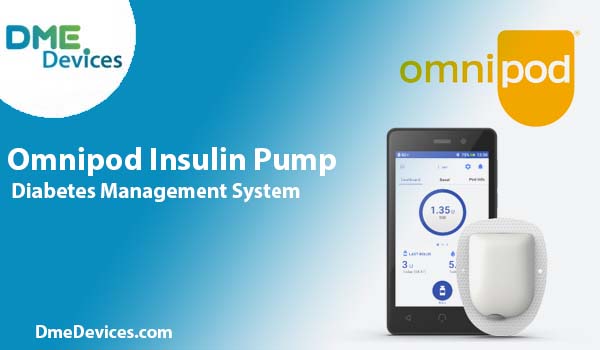
The Omnipod Insulin Management System is a cutting-edge insulin pump technology that offers a unique and innovative approach to insulin delivery. Unlike traditional insulin pumps that require tubing, the Omnipod consists of a minor, wireless, tubeless pod that adheres directly to the body and delivers insulin subcutaneously.

The pod can be worn for up to three days and is controlled by a handheld personal diabetes manager (PDM) or a compatible smartphone app. This wireless, tubeless design gives users greater freedom and flexibility, allowing them to engage in various activities without the encumbrance of tubing or the need to disconnect and reconnect the pump.

Integration Capabilities

While the Freestyle Libre CGM and Omnipod Insulin Pump are both advanced diabetes management devices, they are not directly integrated with each other out of the box. The Freestyle Libre CGM system is designed to work seamlessly with compatible insulin pumps from various manufacturers. Still, the Omnipod Insulin Pump is not currently one of them.

However, users can leverage the power of both technologies by using third-party software or applications that allow for data sharing and analysis. These solutions enable users to view and analyze their glucose data from the Freestyle Libre CGM alongside their insulin delivery data from the Omnipod Pump, providing a comprehensive overview of their diabetes management.

One such solution is the Tidepool Loop app. This open-source automated insulin delivery system integrates with the Omnipod Pump and various CGM systems, including the Freestyle Libre. By using the Tidepool Loop app, users can achieve a form of closed-loop insulin delivery, where insulin dosing is automatically adjusted based on real-time CGM data, minimizing the need for manual calculations and adjustments.

Potential Benefits of Integration

The integration of the Freestyle Libre CGM and Omnipod Insulin Pump could offer several potential benefits for individuals living with diabetes:

Automated Insulin Delivery

Direct integration would allow for automated insulin delivery based on real-time glucose data from the CGM, reducing the need for manual calculations and adjustments. This could lead to improved glycemic control and a reduced risk of hypoglycemia or hyperglycemia, as insulin dosing would be more precisely tailored to the individual's glucose levels and insulin requirements.

Streamlined Data Management

Integrated systems would provide a unified platform for tracking and analyzing glucose levels, insulin delivery, and other relevant data, simplifying the diabetes management process and enabling better-informed treatment decisions. Users would no longer need to juggle multiple apps or devices, as all the necessary information would be readily available in one centralized location.

Enhanced User Experience

A seamless integration between the CGM and insulin pump could offer a more user-friendly and convenient experience, reducing the need for multiple devices and separate data management systems. This could increase adherence to treatment regimens and improve overall quality of life for individuals with diabetes.

Personalized Treatment Optimization

With integrated data from both the CGM and insulin pump, healthcare providers would have access to a wealth of information that could be used to optimize treatment plans and make more informed decisions. By analyzing patterns and trends in glucose levels, insulin delivery, and other relevant factors, providers could fine-tune therapy and offer personalized recommendations tailored to each individual's unique needs.

Challenges and Limitations

While the integration of the Freestyle Libre CGM and Omnipod Insulin Pump holds great promise, there are also challenges and limitations to consider:

Regulatory Hurdles

For direct integration to become a reality, manufacturers must collaborate and navigate the complex regulatory landscape governing medical devices. This process can be time-consuming and resource-intensive, potentially delaying the availability of an integrated solution.

Compatibility Issues

Even with third-party solutions, there may be compatibility issues or limitations in data sharing and analysis between the two devices. Ensuring seamless interoperability and accurate data transfer is crucial for effective diabetes management.

Cost Considerations

Integrated systems or third-party solutions may come with additional costs, which could be a barrier for some individuals with diabetes. Considering the financial implications and ensuring affordable access to these technologies is essential.

Future Prospects and Innovations

Diabetes management is constantly evolving, and future innovations may pave the way for direct integration between the Freestyle Libre CGM, Omnipod Insulin Pump, and other cutting-edge technologies.

Closed-Loop Systems

Closed-loop insulin delivery systems, also known as artificial pancreas systems, are a highly anticipated development in diabetes management. These systems integrate a CGM, insulin pump, and advanced algorithms to automatically adjust insulin delivery based on real-time glucose data, mimicking the function of a healthy pancreas.

While direct integration between the Freestyle Libre CGM and Omnipod Insulin Pump is not currently available, third-party solutions or future developments in device interoperability could enable closed-loop insulin delivery for users of these technologies.

Interoperability Standards

As the demand for integrated diabetes management solutions grows, there is an increasing need for industry-wide interoperability standards. Initiatives such as the Diabetes Technology Society's Interoperability Standard aim to create a framework for seamless communication and data sharing between different devices and systems.

By adhering to these standards, manufacturers can facilitate the development of integrated solutions that provide a more comprehensive and user-friendly experience for individuals with diabetes.

Continuous Innovation

Abbott Diabetes Care and Insulet Corporation are at the forefront of innovation in their respective fields. As they continue to develop and refine their products, the possibility of direct integration or enhanced interoperability between the Freestyle Libre CGM and Omnipod Insulin Pump may become a reality.

For individuals with diabetes, staying informed about the latest developments and advocating for integrated solutions can play a crucial role in driving progress and shaping the future of diabetes management.

Conclusion

While the Freestyle Libre CGM and Omnipod Insulin Pump are not directly integrated out of the box, third-party solutions or future developments in device interoperability could enable seamless integration between these advanced diabetes management technologies.

The benefits of such integration, including automated insulin delivery, streamlined data management, enhanced user experience, and personalized treatment optimization, could revolutionize how individuals with diabetes manage their conditions.

As the field of diabetes management continues to evolve, healthcare providers, individuals with diabetes, and industry stakeholders need to collaborate and advocate for integrated solutions that prioritize user convenience, safety, and optimal glycemic control.

By leveraging the power of innovation and embracing cutting-edge technologies, we can pave the way for a future where diabetes management becomes more seamless, personalized, and empowering for those living with this chronic condition.

Ā 

Uploading FreeStyle Libre Data

Uploading FreeStyle Libre Data: A Comprehensive Guide

Introduction

Diabetes is a chronic condition that requires meticulous monitoring and management of blood glucose levels. The FreeStyle Libre system has revolutionized how people with diabetes track their glucose, offering a convenient and discreet continuous glucose monitoring (CGM) solution. With its ability to store up to 8 hours of glucose data, regularly uploading and reviewing this information is crucial for gaining valuable insights into your glucose patterns and trends. In this comprehensive article, we'll guide you through uploading your FreeStyle Libre data, ensuring you can make informed decisions about your diabetes management and ultimately achieve better glycemic control.

Understanding the Importance of CGM Data

Continuous glucose monitoring (CGM) has become an indispensable tool for people with diabetes, providing real-time glucose readings and helping to identify trends and patterns that might otherwise go unnoticed. By regularly uploading and analyzing your FreeStyle Libre data, you can:

  1. Identify Glucose Patterns: Gain insights into how your body responds to different foods, activities, and medications, allowing you to make informed adjustments to your diabetes management plan.
  2. Prevent Hypoglycemia and Hyperglycemia: By monitoring your glucose levels closely, you can take proactive steps to prevent potentially dangerous low or high-blood sugar episodes.
  3. Improve Glycemic Control: Regular monitoring and data analysis can help you achieve better overall glycemic control, reducing the risk of long-term complications associated with diabetes.
  4. Enhance Communication with Healthcare Providers: Sharing your CGM data with your healthcare team facilitates more effective collaboration and tailored treatment plans, ensuring you receive the best possible care.

Preparing for the Upload

Before you begin the upload process, you must ensure that you have the necessary equipment and that your devices are correctly configured and updated.

Gathering the Necessary Equipment

To upload your FreeStyle Libre data, you'll need the following items:

  1. FreeStyle Libre Reader or Compatible Device: The FreeStyle Libre reader is a dedicated device for scanning and uploading your sensor data. Alternatively, you can use a compatible mobile device with the FreeStyle LibreLink app installed.
  2. USB Cable (if using a reader): If you're using the FreeStyle Libre reader, you'll need a USB cable to connect it to your computer for data transfer.
  3. Compatible Computer or Mobile Device: Ensure that your computer or mobile device meets the system requirements for the FreeStyle Libre software or app.
  4. Active Account on the FreeStyle Libre Software or App: You must create an account on the FreeStyle Libre software or app to access and manage your glucose data.

Ensuring Compatibility and Software Updates

Before proceeding with the upload, ensuring that your devices and software are up-to-date and compatible with the FreeStyle Libre system is crucial. Follow these steps:

  1. Check System Requirements: Verify that your computer or mobile device meets the minimum system requirements for the FreeStyle Libre software or app. These requirements are typically found on the manufacturer's website or within the software/app documentation.
  2. Update Software and Apps: Check for updates to the FreeStyle Libre software or app and install the latest versions. Software updates often include bug fixes, performance improvements, and new features that enhance your experience and data management capabilities.
  3. Update Device Firmware: If using a dedicated FreeStyle Libre reader, ensure the device firmware is up-to-date. Firmware updates can address issues, improve functionality, and ensure compatibility with the latest software.

By taking these preparatory steps, you'll ensure a smooth and seamless upload process, maximizing the accuracy and reliability of your glucose data.

Uploading the Data

Once you've gathered the necessary equipment and ensured compatibility and software updates, you can upload your FreeStyle Libre data. The process varies slightly depending on whether you're using the FreeStyle Libre reader or the FreeStyle LibreLink app.

Using the FreeStyle Libre Reader

If you're using the FreeStyle Libre reader, follow these steps to upload your data:

  1. Connect the Reader to Your Computer: Connect the FreeStyle Libre reader to your computer using the USB cable. Make sure the connection is secure and stable.
  2. Open the FreeStyle Libre Software: Launch the FreeStyle Libre software on your computer. If prompted, enter your account credentials or create a new account.
  3. Initiate the Upload Process: Within the software, locate the option to upload data from your reader. This option may be labeled differently depending on the software version. Still, it should be visible in the main interface or menu.
  4. Follow the Prompts: The software will guide you through the upload process, which may involve scanning your sensor or reader, confirming data transfer, and providing additional information as requested.
  5. Review and Analyze Data: Once the upload is complete, you can access and review your glucose data within the software. The software typically provides various visualizations, such as graphs and charts, to help you analyze glucose patterns and trends.

Using the FreeStyle LibreLink App

If you're using a compatible mobile device with the FreeStyle LibreLink app, follow these steps:

  1. Open the FreeStyle LibreLink App: Launch the FreeStyle LibreLink app on your compatible mobile device.
  2. Enable Bluetooth: Ensure your device's Bluetooth allows communication between the app and your FreeStyle Libre sensor.
  3. Connect to Your Sensor: Follow the instructions to connect your FreeStyle Libre sensor to the app. This may involve scanning the sensor or entering a unique code.
  4. Automatic Data Upload: Once connected, the app will automatically sync and upload your glucose data to the cloud or the manufacturer's secure server.
  5. Access and Review Data: You can access and review your glucose data within the FreeStyle LibreLink app or by logging into your account on the FreeStyle Libre website. The app and website typically offer various data visualization tools like graphs, charts, and trend analysis.

Remember, the upload process may vary slightly depending on the software or app version you're using, as well as the specific device you have. Always follow the manufacturer's instructions carefully to ensure a successful and accurate data upload.

Interpreting and Utilizing the Data

Once you've successfully uploaded your FreeStyle Libre data, the next step is to interpret and utilize the information to optimize diabetes management.

Analyzing Glucose Patterns and Trends

After uploading your FreeStyle Libre data, take the time to review and analyze the glucose patterns and trends thoroughly. Look for patterns that may indicate potential issues or areas for improvement, such as:

  1. High or Low Glucose Levels at Specific Times of the Day: Identify any consistent patterns of high or low glucose levels at certain times, which may be related to meals, exercise, or medication schedules.
  2. Rapid Fluctuations in Glucose Levels: Observe any fluctuations or spikes in glucose levels, which food choices, stress, or insulin dosing could cause.
  3. Prolonged Periods of Hyperglycemia or Hypoglycemia: Note any extended periods of high (hyperglycemia) or low (hypoglycemia) glucose levels, as these can have serious health consequences if left unchecked.
  4. Impact of Lifestyle Factors: Correlate your glucose patterns with factors such as diet, physical activity, sleep patterns, and stress levels to identify potential triggers or areas for improvement.

Sharing Data with Your Healthcare Team

Effective diabetes management requires close collaboration with your healthcare team, and sharing your FreeStyle Libre data is essential to this process. Most FreeStyle Libre software and apps allow you to easily share your glucose data with your healthcare providers, such as endocrinologists, diabetes educators, or nutritionists.

Sharing your data can be incredibly valuable for making informed decisions about adjustments to your diabetes management plan, including:

  1. Dietary Modifications: Based on your glucose patterns and trends, your healthcare team may recommend dietary changes, such as adjusting carbohydrate intake, portion sizes, or meal timing.
  2. Insulin Dosage Adjustments: Your provider may suggest adjustments to your insulin dosage or timing based on your glucose data to better manage your blood sugar levels.
  3. Exercise Recommendations: By analyzing the impact of physical activity on your glucose levels, your healthcare team can provide tailored exercise recommendations to help improve glycemic control.
  4. Medication Changes: In some cases, your healthcare provider may recommend changes to your oral medications or other therapies to better manage your diabetes based on your glucose data.
  5. Identifying and Addressing Potential Issues: Sharing your data can help your healthcare team identify potential issues or concerns, such as frequent hypoglycemic episodes or persistent hyperglycemia, and develop strategies to address them.

When sharing your data, you must provide your healthcare team with as much context as possible, including information about your diet, exercise routine, medication adherence, and any other relevant factors that may impact your glucose levels.

Utilizing Data-Driven Insights for Better Self-Management

In addition to working closely with your healthcare team, regularly analyzing your FreeStyle Libre data can empower you to take an active role in your diabetes self-management. By identifying patterns and trends, you can make informed decisions about your daily routines and lifestyle choices, such as:

  1. Meal Planning: Use your glucose data to understand how different foods and portion sizes affect your blood sugar levels. This will allow you to make more informed meal choices and better manage your carbohydrate intake.
  2. Exercise and Physical Activity: Observe how different types and intensities of physical activity impact your glucose levels and adjust your exercise routine to optimize glycemic control.
  3. Stress Management: Monitor the effects of stress on your glucose levels and explore strategies for better managing stress, such as practicing mindfulness, meditation, or engaging in relaxing activities.
  4. Sleep Optimization: Assess the relationship between your sleep patterns and glucose levels and adjust your sleep routine if necessary to improve overall glycemic control.
  5. Medication Adherence: Use your glucose data to evaluate the effectiveness of your medication regimen and identify potential issues with adherence or dosing.

By taking an active, data-driven approach to diabetes self-management, you can make informed decisions that align with your unique needs and lifestyle. This will ultimately lead to better glycemic control and improved overall health and well-being.

Overcoming Challenges and Seeking Support

While the FreeStyle Libre system and data analysis can significantly enhance your diabetes management, it's essential to recognize that there may be challenges along the way. Some common challenges include:

  1. Technical Issues: Occasionally, you may encounter technical difficulties with the FreeStyle Libre system, such as connectivity issues or software glitches. In such cases, it's essential to consult the manufacturer's troubleshooting guidelines or seek assistance from their customer support team.
  2. Data Interpretation Challenges: Interpreting glucose data can be complex, and you may need help identifying patterns or understanding the implications of specific trends. Don't hesitate to seek guidance from your healthcare team or contact diabetes educators or support groups for assistance.
  3. Emotional and Psychological Challenges: Managing a chronic condition like diabetes can be emotionally and psychologically taxing. It's essential to acknowledge and address any feelings of stress, anxiety, or burnout that may arise and seek support from mental health professionals or diabetes support groups if needed.
  4. Financial Considerations: Some individuals may be concerned about the costs associated with CGM systems and related supplies. Explore our shop section and the available patient eligibility programs to alleviate financial burdens.

Keep in mind that you're not on this diabetes journey by yourself.Ā There are numerous resources and support systems available to help you overcome challenges and achieve optimal glycemic control. Don't hesitate to contact your healthcare team, diabetes educators, support groups, or online communities for guidance, encouragement, and resources.

Conclusion

Uploading and regularly reviewing your FreeStyle Libre data is crucial in effective diabetes management. Following the steps outlined in this comprehensive guide ensures you're making the most of this powerful CGM technology and gaining valuable insights into your glucose patterns.

Remember, effective diabetes management is a collaborative effort. Work closely with your healthcare team, sharing your glucose data and seeking their guidance on adjustments to your treatment plan. Embrace a data-driven approach to self-management, using the insights from your FreeStyle Libre data to make informed decisions about your daily routines and lifestyle choices.

While challenges may arise along the way, remember that you have access to a wealth of resources and support systems. Seek assistance when needed, and remain dedicated to your journey towards better glycemic control and improved overall health and well-being.

By combining the power of CGM technology like the FreeStyle Libre system with a proactive and informed approach to diabetes management, you can take control of your condition and live a fuller, healthier life.

Do Freestyle Libre Sensor Hurt When Inserting Them?

Do Freestyle Libre Sensor Hurt When Inserting Them?

Introduction

For diabetic patients, continuous glucose monitoring (CGM) systems like the Freestyle Libre have revolutionized their management of their condition. This innovative technology allows for real-time tracking of blood sugar levels, providing invaluable insights and enabling proactive adjustments to diet, exercise, and medication. However, inserting a sensor under the skin can understandably raise concerns about discomfort or pain. This comprehensive article will delve into the nuances of Freestyle Libre sensor insertion, addressing common fears and providing practical tips to ensure a comfortable and seamless experience.

Understanding the Freestyle Libre Sensor

Sensor Design and Dimensions

The Freestyle Libre sensor is a small, round device designed to be worn on the back of the upper arm. Measuring a mere 35 mm in diameter and 5 mm in thickness, it is remarkably compact and unobtrusive. The sensor filament, inserted just under the skin, is an ultra-thin, flexible polymer with a diameter of only 0.4 mm – nearly half the thickness of a standard insulin pen needle. This remarkably slender design minimizes the potential for discomfort during insertion.

Advanced Insertion Technology

Freestyle Libre sensors come pre-loaded in a single-use, disposable applicator that ensures a quick and precise insertion. With a simple push of a button, the applicator automatically inserts the sensor filament just beneath the skin's surface, reducing the need for manual handling and minimizing the risk of improper insertion technique.

Pain Levels During Insertion

Virtually Painless for Most Users

Numerous studies and user reports have consistently demonstrated that most Freestyle Libre users experience little to no pain during sensor insertion. Thanks to the combination of the ultra-fine sensor filament and the automated applicator, many users describe the sensation as a mere pinching or pressing feeling that dissipates almost immediately after insertion.

Individual Variations

It is important to note, however, that pain perception is highly subjective and can vary from person to person. Factors such as individual pain tolerance, insertion technique, and the specific insertion site can influence the level of discomfort experienced. While most users report a virtually painless experience, some may experience minor stinging or discomfort that typically subsides within a few minutes.

Tips for Minimizing Discomfort

Proper Insertion Technique

Following the manufacturer's instructions is crucial to ensuring a smooth and comfortable insertion process. Proper preparation of the insertion site, correct applicator positioning, and applying the appropriate amount of pressure during insertion can all minimise potential discomfort.

Numbing the Site

For those with heightened sensitivity or concerns about pain, several strategies can be employed to reduce discomfort further. Applying an ice pack to the intended insertion site a few minutes before insertion can help numb the area and minimize any sensation. Additionally, some users find relief by using topical numbing creams or sprays containing anesthetic agents like lidocaine. However, it is essential to consult with a healthcare professional before using any numbing products, as they may interact with certain medications or conditions.

Rotating Insertion Sites

It is recommended that the insertion sites be rotated with each new sensor application to prevent irritation or scarring over time. By alternating between different areas on the back of the upper arm, you can allow previously used sites to recover and minimize the potential for discomfort or skin irritation.

The Benefits of Continuous Glucose Monitoring

Improved Diabetes Management

While the prospect of sensor insertion may initially raise concerns, it is crucial to weigh the potential for minor discomfort against the immense benefits that continuous glucose monitoring can provide. By offering real-time insights into blood sugar levels, the Freestyle Libre empowers diabetic patients to make informed decisions about their diet, exercise routines, and medication adjustments. This proactive approach can lead to better glucose control, reduced risk of complications, and an overall improved quality of life.

Peace of Mind and Convenience

In addition to enhanced diabetes management, the Freestyle Libre system offers remarkable convenience and peace of mind. Its discreet design and user-friendly interface allow patients to easily monitor their glucose levels without requiring frequent fingerstick tests. This reduces the discomfort and hassle associated with traditional monitoring methods and provides a more comprehensive picture of glucose trends throughout the day and night.

Conclusion

While inserting a sensor under the skin may seem daunting initially, the Freestyle Libre system's advanced technology and careful design have made the process virtually painless for most users. By following proper insertion techniques, utilizing numbing strategies when needed, and rotating insertion sites, diabetic patients can enjoy the countless benefits of continuous glucose monitoring with minimal discomfort. Ultimately, the potential for improved diabetes management, increased convenience, and enhanced peace of mind far outweigh any minor discomfort experienced during sensor insertion. With the proper knowledge and preparation, embracing this innovative technology can be a seamless and empowering step towards better health and well-being.

Atherosclerosis and Type 2 Diabetes

The Intricate Link Between Atherosclerosis and Type 2 Diabetes

Introduction

Diabetes and cardiovascular diseases are intricately intertwined, forming a complex web of interconnected risks and complications. For individuals living with type 2 diabetes, the risk of developing atherosclerosis – the buildup of plaque in the arteries – is significantly higher than for those without the condition. Understanding this connection is crucial for diabetic patients to take proactive steps in managing their health and reducing the risks associated with these two formidable conditions.

The Underlying Mechanisms

Insulin Resistance and Dyslipidemia: A Dangerous Duo

At the heart of the matter lies insulin resistance, a defining characteristic of type 2 diabetes. When cells become resistant to the actions of insulin, the body compensates by producing more of this hormone, leading to high levels of insulin in the bloodstream (hyperinsulinemia). This excess insulin can contribute to plaque formation in the arteries by promoting inflammation and oxidative stress – two critical drivers of atherosclerosis.

Dyslipidemia is an imbalance in the levels of lipids (such as cholesterol and triglycerides) in the blood. Insulin resistance often goes hand-in-hand with dyslipidemia, characterized by high levels of low-density lipoprotein (LDL) cholesterol, the "bad" cholesterol, and low levels of high-density lipoprotein (HDL) cholesterol, the "good" cholesterol. This dyslipidemic state accelerates the buildup of plaque in the arteries, further increasing the risk of atherosclerosis.

Inflammation and Oxidative Stress: Fueling the Fire

Both type 2 diabetes and atherosclerosis are characterized by chronic inflammation and oxidative stress, two interrelated processes that can exacerbate each other's progression. In people with type 2 diabetes, high levels of glucose in the blood can lead to the formation of advanced glycation end products (AGEs), which can trigger an inflammatory response and contribute to the development of atherosclerosis.

Oxidative stress, on the other hand, occurs when there is an imbalance between the production of reactive oxygen species (free radicals) and the body's ability to neutralize them. This imbalance can damage blood vessels and promote plaque formation in the arteries, further compounding the risk of atherosclerosis.

Clinical Implications and Management Strategies

Cardiovascular Disease Risk: A Looming Threat

The presence of type 2 diabetes significantly increases the risk of developing cardiovascular diseases, such as coronary artery disease, heart attack, and stroke. Atherosclerosis is a significant contributor to these conditions, as the buildup of plaque in the arteries can restrict blood flow and lead to life-threatening complications.

Diabetic patients need to be aware of this increased risk and take proactive steps to manage their condition and reduce the likelihood of developing cardiovascular complications.

A Multifaceted Approach to Treatment and Management

Effective management of atherosclerosis in individuals with type 2 diabetes requires a comprehensive, multi-pronged approach that addresses various aspects of the condition. Here are some key strategies:

Lifestyle Modifications:

- Adopting a healthy, balanced diet rich in fruits, vegetables, whole grains, and lean proteins - Engaging in regular physical activity and exercise to improve insulin sensitivity and cardiovascular health - Maintaining a healthy body weight through a combination of diet and exercise - Quitting smoking and reducing stress levels, as both can contribute to inflammation and oxidative stress

Glycemic Control:

- Strict control of blood glucose levels through medication (such as metformin, sulfonylureas, or insulin therapy) as prescribed by a healthcare professional - Regular monitoring of blood glucose levels through self-testing or continuous glucose monitoring devices - Adherence to prescribed treatment plans and making adjustments as needed under medical supervision

Lipid Management:

- Use of lipid-lowering medications, such as statins, to manage dyslipidemia and reduce LDL cholesterol levels - Dietary modifications to limit saturated and trans fats while increasing intake of healthy unsaturated fats

Blood Pressure Control:

- Monitoring and managing blood pressure levels through lifestyle changes and/or antihypertensive medications, as high blood pressure can further exacerbate the risk of atherosclerosis and cardiovascular complications

Regular Screening and Monitoring:

- Routine screening for atherosclerosis and cardiovascular disease through non-invasive tests (e.g., ankle-brachial index, carotid ultrasound) or more advanced diagnostic procedures (e.g., coronary calcium scoring, angiography) - Monitoring for signs and symptoms of cardiovascular disease, such as chest pain, shortness of breath, or leg pain during exercise

Empowering Patients: Knowledge is Key

Educating diabetic patients about the connection between atherosclerosis and type 2 diabetes is crucial in empowering them to take an active role in managing their health. By understanding the underlying mechanisms, risks, and various management strategies, individuals can make informed decisions and work closely with their healthcare team to develop a personalized treatment plan that addresses their unique needs and circumstances.

Regular follow-up visits with healthcare providers, such as endocrinologists, cardiologists, and nutritionists, can help diabetic patients stay on track, adjust their treatment as needed, and receive guidance and support throughout their journey.

Conclusion

The intricate link between atherosclerosis and type 2 diabetes highlights the importance of a comprehensive and coordinated approach to managing both conditions. By addressing insulin resistance, dyslipidemia, inflammation, oxidative stress, and other contributing factors, healthcare professionals can partner with diabetic patients to reduce the risk of atherosclerosis and its associated cardiovascular complications.

Through a combination of lifestyle modifications, medication management, regular monitoring, and patient education, individuals living with type 2 diabetes can take control of their health and improve their overall quality of life while minimizing the risks posed by this complex interplay of conditions.

Diabetes Monitoring Devices

Diabetes Monitoring Devices: Empowering Self-Management and Optimizing Glycemic Control

Introduction

Diabetes is a chronic condition that requires constant vigilance and proactive management to maintain optimal health and prevent complications. In this journey, diabetes monitoring devices have emerged as invaluable tools, empowering individuals to take an active role in understanding their body's responses and making informed decisions about their care. These devices not only provide real-time data but also offer insights into patterns and trends, enabling a personalized approach to diabetes management.

The Importance of Monitoring: A Cornerstone of Diabetes Care

Monitoring blood glucose levels is a cornerstone of effective diabetes management. By keeping track of their glucose levels, individuals can gain a better understanding of how various factors, such as food choices, physical activity, stress, and medication, affect their bodies. This knowledge is crucial for making necessary adjustments to their lifestyle, diet, or treatment plans, ultimately optimizing glycemic control and reducing the risk of complications associated with diabetes.

According to the American Diabetes Association (ADA), regular monitoring of blood glucose levels plays a vital role in achieving and maintaining target glycemic ranges, which can significantly reduce the risk of long-term complications, such as cardiovascular disease, kidney disease, nerve damage, and vision problems.

Types of Diabetes Monitoring Devices

Blood Glucose Meters: Portable and Convenient

Blood glucose meters have been a mainstay in diabetes management for decades. These handheld devices require a small drop of blood, typically obtained through a fingerstick, to measure the glucose concentration in the blood. Modern meters are designed with user-friendliness in mind, offering features such as large, easy-to-read displays, built-in memory for data storage, and connectivity options for seamless integration with mobile applications or cloud-based platforms.

One popular blood glucose meter is the FreeStyle Lite is a compact and user-friendly blood glucose meter designed for convenient and discreet everyday testing. With a backlit screen and a test strip port light, it allows for easy use in any lighting condition. Results are delivered in seconds, and the meter is compatible with FreeStyle Lite test strips that require only a small blood sample. Its Auto-Assist 2.0 software simplifies data management, enabling users to generate reports that help track trends in diabetes management. Overall, the FreeStyle Lite offers a portable solution for effective blood glucose monitoring.

According to a study published in the Journal of Diabetes Science and Technology, the use of blood glucose meters has been associated with improved glycemic control, increased self-management behaviors, and better adherence to treatment plans among individuals with diabetes.

Continuous Glucose Monitoring Systems (CGMs): Real-Time Insights

Continuous Glucose Monitoring Systems (CGMs) have revolutionized diabetes management by providing real-time, continuous monitoring of blood glucose levels. These advanced devices consist of a small sensor inserted under the skin, typically on the abdomen or arm, which measures interstitial fluid glucose levels every few minutes. CGMs transmit the data wirelessly to a receiver or compatible smart device, allowing individuals to monitor their glucose levels around the clock and detect trends and patterns more effectively.

The FreeStyle Libre 3 is a popular CGM device that offers real-time glucose monitoring, customizable alerts, and seamless data sharing with healthcare providers. It features a small, lightweight sensor that can be worn for up to 14 days, providing continuous glucose data without the need for fingersticks.

Another leading CGM system is the Dexcom G7, which is expected to be released soon. This highly anticipated device promises even better accuracy, longer sensor wear time, and improved connectivity features, further enhancing the user experience and streamlining diabetes management.

According to a study published in the Diabetes Technology & Therapeutics journal, the use of CGMs has been associated with improved glycemic control, reduced time spent in hypoglycemia (low blood sugar), and increased treatment satisfaction among individuals with type 1 and type 2 diabetes.

Insulin Pumps: Precise and Personalized Insulin Delivery

Insulin pumps are advanced devices designed to deliver precise doses of insulin to individuals with diabetes, particularly those with type 1 diabetes or advanced type 2 diabetes requiring insulin therapy. These small, wearable devices are programmed to mimic the body's natural insulin delivery patterns, providing a continuous basal rate of insulin and allowing for additional bolus doses around mealtimes or to correct high blood glucose levels.

Many modern insulin pumps integrate with CGM systems, creating a closed-loop system that automatically adjusts insulin delivery based on real-time glucose readings. This technology, known as an artificial pancreas or hybrid closed-loop system, has been shown to significantly improve glycemic control and reduce the burden of diabetes management, according to a study published in the New England Journal of Medicine.

The Benefits of Diabetes Monitoring Devices

The use of diabetes monitoring devices offers numerous benefits, empowering individuals to take control of their condition and achieve better health outcomes. These benefits include:

  • Enhanced glycemic control and reduced risk of complications: By providing real-time data and insights into glucose patterns, monitoring devices enable individuals to make informed decisions about their treatment plans, leading to improved glycemic control and a reduced risk of long-term complications associated with diabetes.
  • Improved quality of life and independence: With the ability to monitor glucose levels discreetly and conveniently, individuals with diabetes can enjoy greater flexibility and independence in their daily lives, reducing the burden and stress associated with managing their condition.
  • Real-time data and trend analysis for better decision-making: Monitoring devices offer access to comprehensive data and trend analysis, allowing individuals and their healthcare providers to identify patterns, assess the effectiveness of treatment plans, and make adjustments as needed.
  • Increased convenience and reduced pain associated with frequent fingersticks: CGMs and insulin pumps can significantly reduce the need for frequent fingersticks, providing a more convenient and less painful monitoring experience.
  • Integration with mobile apps and cloud platforms: Many modern monitoring devices can seamlessly integrate with mobile applications and cloud-based platforms, enabling data sharing, remote monitoring, and improved communication between individuals and their healthcare providers.

As technology continues to advance, diabetes monitoring devices are becoming increasingly sophisticated, user-friendly, and integrated into comprehensive diabetes management solutions. By embracing these tools, individuals with diabetes can take an active role in their care, achieve better glycemic control, and ultimately improve their overall health and well-being.

Choosing the Right Diabetes Monitoring Device

With the wide range of diabetes monitoring devices available, it is crucial to work closely with healthcare providers to determine the most appropriate option based on individual needs, preferences, and lifestyle factors. Factors to consider include:

  • Type of diabetes: The type of diabetes (type 1 or type 2) and the treatment plan (insulin therapy, oral medications, or lifestyle modifications) can influence the choice of monitoring device.
  • Lifestyle and activities: Individuals with an active lifestyle or who participate in sports may benefit from devices that are discreet, waterproof, and offer continuous monitoring capabilities.
  • Comfort and ease of use: Devices should be user-friendly, minimally invasive, and comfortable to wear, ensuring optimal adherence and consistent use.
  • Data management and connectivity: Individuals may prefer devices that integrate with mobile applications or cloud-based platforms for convenient data tracking, sharing, and analysis.
  • Insurance coverage and costs: It is important to consider insurance coverage and out-of-pocket costs associated with the acquisition and maintenance of diabetes monitoring devices.

By carefully evaluating these factors, individuals can work with their healthcare providers to find the most suitable diabetes monitoring device that aligns with their needs, preferences, and overall diabetes management goals.

Embracing Technology for Better Diabetes Management

Diabetes monitoring devices have undoubtedly transformed the way individuals with diabetes manage their condition. By providing real-time data, insights, and personalized treatment options, these devices empower individuals to take an active role in their care and achieve better glycemic control.

Furthermore, the integration of monitoring devices with digital health solutions, such as mobile applications and cloud-based platforms, opens up new possibilities for remote monitoring, data-driven decision-making, and improved communication between individuals and their healthcare providers.

As technology continues to evolve, we can expect even more innovative solutions that further enhance diabetes management, promoting better health outcomes and quality of life for individuals living with this chronic condition.

Whether it's the convenience of blood glucose meters like the FreeStyle Libre Lite, the real-time insights of CGMs like theFreeStyle Libre 3 or the upcoming Dexcom G7, or the precise insulin delivery ofinsulin pumps, embracing diabetes monitoring devices is a crucial step toward taking control of one's health and navigating the journey of diabetes with confidence and empowerment.

What to Do If Your FreeStyle Libre Sensor Falls Off

What to Do If Your FreeStyle Libre Sensor Falls Off

Introduction

As a diabetes expert and advocate for optimal glucose management, I understand the paramount importance of continuous glucose monitoring (CGM) systems like the FreeStyle Libre for people living with diabetes. These cutting-edge devices revolutionize diabetes care by providing real-time insights into glucose levels, empowering individuals to make informed decisions about their treatment and lifestyle choices. However, even the most advanced technology can sometimes encounter hiccups, such as a FreeStyle Libre sensor falling off prematurely. In this comprehensive guide, I aim to equip you with the knowledge and strategies to navigate this situation effectively, ensuring minimal disruption to your glucose monitoring routine.

Understanding the FreeStyle Libre CGM System

A Groundbreaking Innovation

The FreeStyle Libre system, developed by Abbott, is a revolutionary CGM device that has transformed the way people with diabetes monitor their glucose levels. Unlike traditional finger-prick tests, the FreeStyle Libre employs a small, round sensor that is applied to the back of the upper arm. This sensor continuously measures interstitial glucose levels, providing accurate readings every minute and eliminating the need for frequent finger pricks.

Sensor Design and Wear Duration

The FreeStyle Libre sensor is designed to remain securely adhered to the skin for up to 14 days, after which it must be replaced. This extended wear duration offers unparalleled convenience and continuity in glucose monitoring. However, it's essential to acknowledge that these sensors are not invincible; they can occasionally become dislodged or fall off before the intended wear period is complete.

Remain Calm and Take Action

Step-by-Step Guidance

If you find yourself in a situation where your FreeStyle Libre sensor has fallen off, it's crucial to remain calm and follow these step-by-step instructions:

Remove the fallen sensor. Gently peel off the adhesive patch from your skin, taking care not to cause any unnecessary irritation or discomfort. Discard the old sensor properly.
Inspect the application site. Examine the area where the sensor was applied for any signs of bleeding, irritation, or infection. While minor bleeding or redness is common, seek medical attention if you notice significant bleeding, increasing pain, swelling, or other concerning symptoms that could indicate an infection.
Prepare a new sensor. Open a new sensor package and have it ready for application. Ensure you have all the necessary supplies, such as alcohol wipes or soap and water, to properly clean the new application site.
Choose a fresh application site. Select a new location on the back of your upper arm, avoiding areas with excessive hair, scars, or skin irritation. Rotating application sites can help prevent skin issues and ensure better sensor adhesion.
Clean the new site thoroughly. Use an alcohol wipe or soap and water to thoroughly cleanse the new application site, ensuring it is free from any dirt, oils, or residue that could interfere with the sensor's adhesion.
Apply the new sensor carefully. Follow the manufacturer's instructions meticulously to ensure proper application of the new FreeStyle Libre sensor to the clean, dry spot on your upper arm.
Wait for the warm-up period. Once the new sensor is in place, be patient and allow the required 60-minute warm-up period to elapse before attempting to take any glucose readings.

Maximizing Sensor Adhesion

Strategies for Optimal Wear

While occasional sensor dislodgement can occur, there are several strategies you can employ to maximize the adhesion and wear duration of your FreeStyle Libre sensors:

Proper application site preparation. Thoroughly cleansing and drying the application site is crucial for optimal sensor adhesion. Oils, lotions, or residues on the skin can interfere with the adhesive's bonding ability.
Use of over-bandages or adhesive dressings. For those with active lifestyles or sensitive skin, using an over-bandage or adhesive dressing can provide an extra layer of security, helping to keep the sensor firmly in place.
Avoid excessive moisture exposure. Activities like swimming, taking hot baths, or exposure to excessive sweat can loosen the adhesive and contribute to premature sensor dislodgement. Consider using waterproof coverings or removing the sensor during such activities.
Rotate application sites. Applying sensors to the same area repeatedly can cause skin irritation and reduce adhesion. Rotate sites between the back of your upper arms to allow the skin to recover and improve sensor adherence.
Address skin conditions. If you have conditions like psoriasis, eczema, or excessive sweating, consult your healthcare provider or a certified diabetes educator for personalized strategies to optimize sensor wear.

Beyond Replacement: Embracing Continuous Improvement

Leveraging Technology and Community Support

While sensor replacement is a necessary step when your FreeStyle Libre sensor falls off, it's essential to view this as an opportunity for continuous improvement. Embrace the wealth of resources available to you, including:

Manufacturer support. Abbott, the maker of the FreeStyle Libre, offers comprehensive customer support channels, including online resources, helplines, and dedicated representatives to assist you with any questions or concerns regarding sensor wear and usage.
Healthcare provider consultations. Don't hesitate to consult your healthcare provider or a certified diabetes educator for personalized guidance and troubleshooting advice. They can assess your individual situation, identify potential contributing factors, and recommend tailored strategies to enhance sensor adhesion and overall diabetes management.
Peer support networks. Engage with the vibrant diabetes community, both online and in-person, to learn from the experiences of others and share your own insights. These support networks can be invaluable sources of practical tips, product recommendations, and moral support.
Continuous education. Stay informed about the latest developments in diabetes technology, research, and best practices by attending educational seminars, webinars, or conferences. Expanding your knowledge can empower you to make more informed decisions and optimize your diabetes management.

Conclusion

While a prematurely fallen FreeStyle Libre sensor can be an inconvenience, it does not have to derail your glucose monitoring routine or diminish the invaluable benefits of continuous glucose monitoring. By following the step-by-step guidance outlined in this comprehensive guide, employing strategies to maximize sensor adhesion, and embracing the wealth of resources and support available, you can confidently navigate these situations and maintain optimal control over your diabetes management. Remember, a proactive and informed approach, coupled with the unwavering support of healthcare professionals and the diabetes community, can transform challenges into opportunities for growth and empowerment.

Back to Top
Product has been added to your cart